Skua
A fast, self-hosted viewer for your Frigate cameras.
WebRTC-first, LAN-only by design, one static binary under 9 MB. A focused live-and-events client that complements Frigate rather than replacing it.
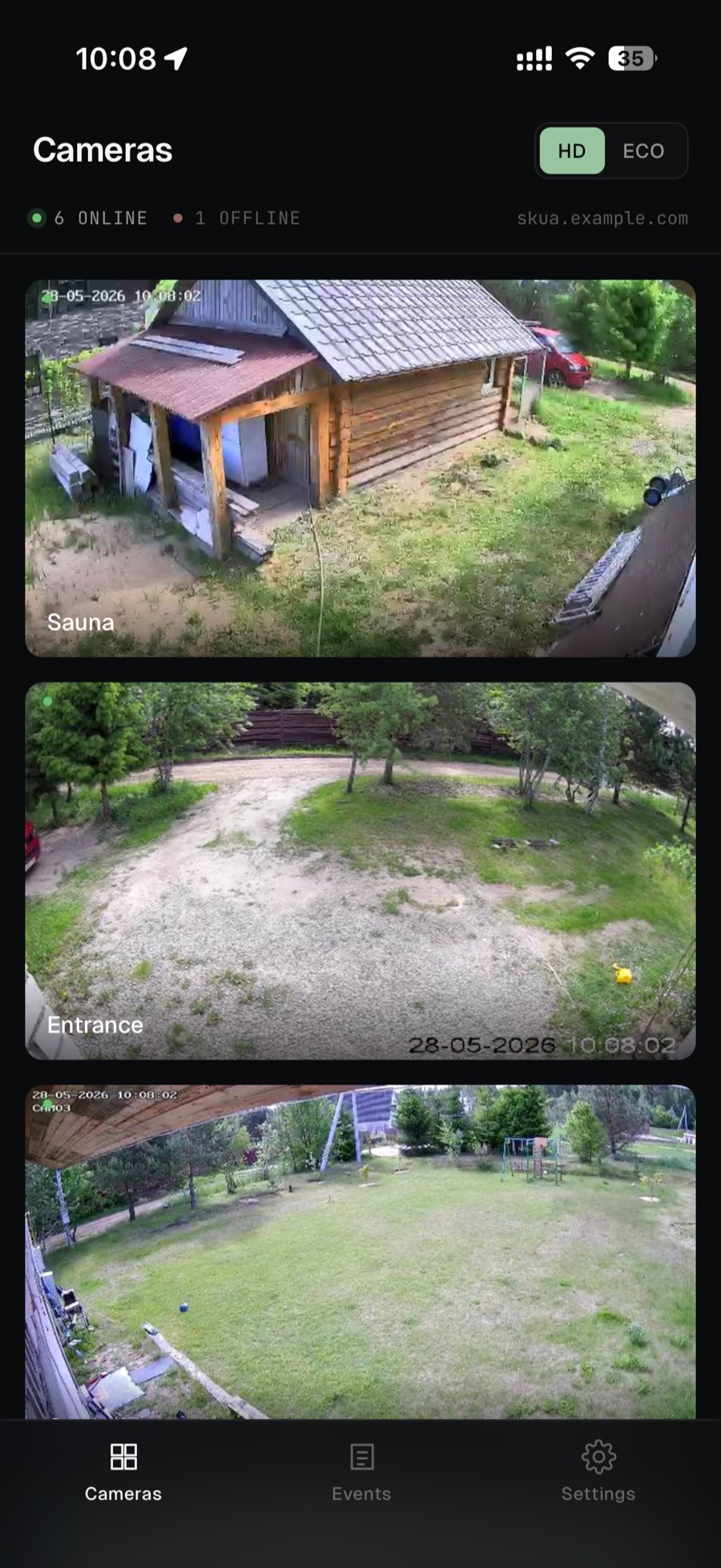 Grid · cam1–cam7
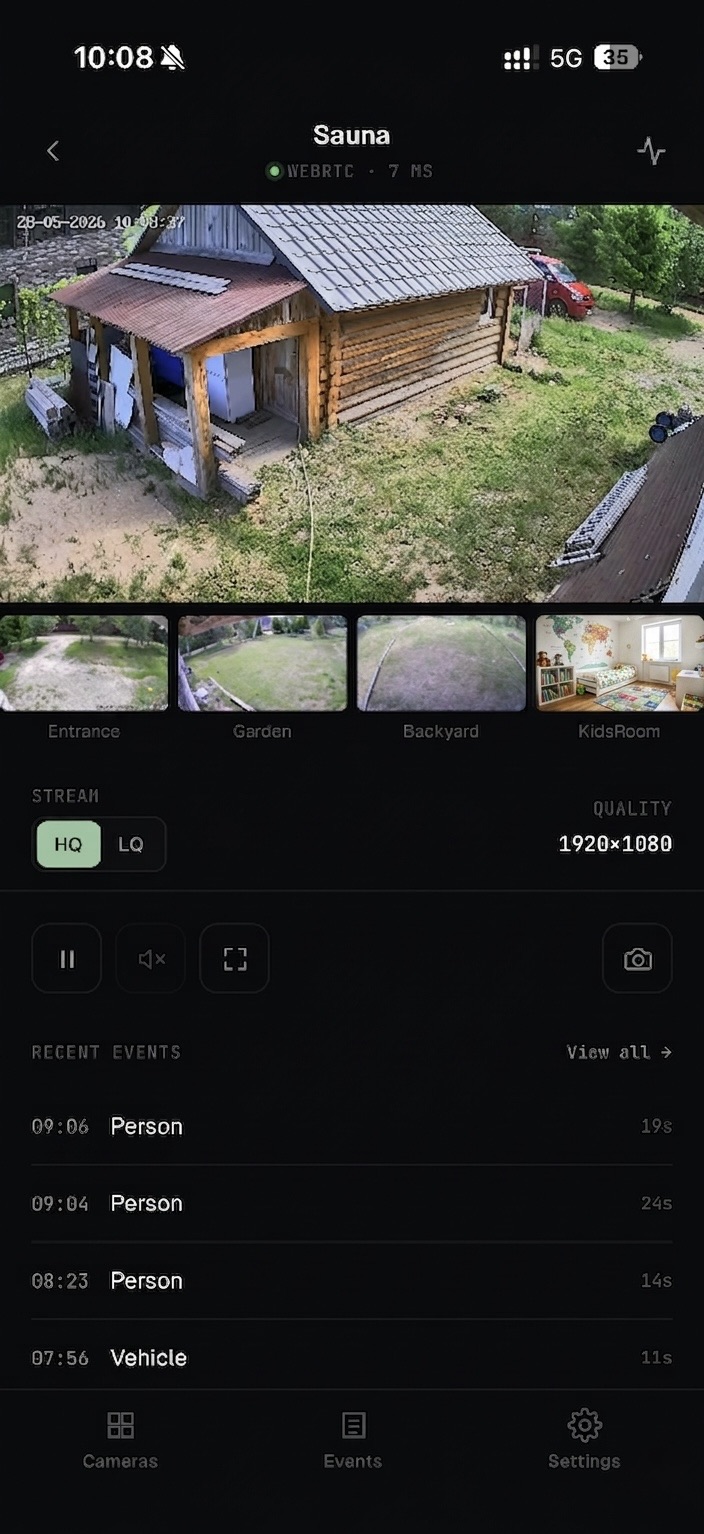 Focus · WebRTC
A focused Frigate client for the everyday check.
Frigate's own PWA is the right tool for admin, Explore, history scrubbing, and settings. But for the everyday "just show me the cameras" check, especially from an iPhone home screen, its MSE-based grid can time out and is slow to first paint on the installed iOS PWA.
Skua exists for that one workflow, and nothing else.
A self-hosted PWA in front of your Frigate.
It does three things and keeps out of the way. Install it to your iPhone or Android home screen; Frigate's own UI stays put for everything else.
Live focus view
Single camera over WebRTC (WHEP), sub-500 ms.
Camera grid
JPEG snapshot tiles at 1 Hz. HD or bandwidth-saving ECO mode, server-side resized.
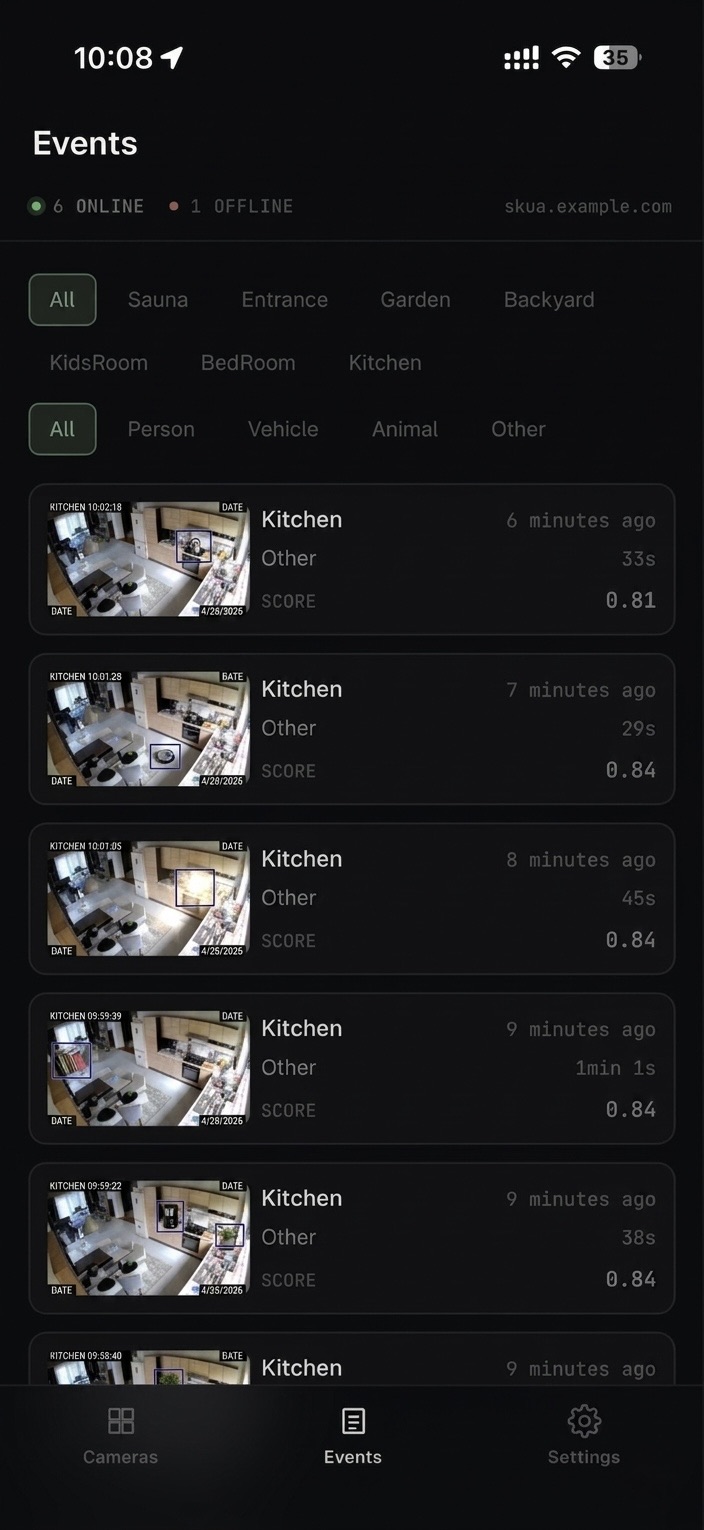
Events
A real-time, filterable list with inline clip playback that actually works in iOS Safari.
Beyond live, grid, and events.
The details that make Skua pleasant to run alongside Frigate. Everything here ships in the image you can docker pull today. No roadmap promises.
Inline clip playback on iOS
HEVC hev1→hvc1 retag plus a Range-aware LRU cache. Clips play inline in iOS Safari, where they normally won't.
Single static Go binary
~9 MB distroless image, multi-arch (amd64 + arm64). One process: no runtime, no agent.
Pick the stream per camera
Choose which go2rtc stream each camera's live view uses, from the app — no Frigate-config edit. Camera groups and friendly names are editable in-app too.
Dynamic discovery
Refresh the camera list from Frigate on demand, no restart. Audio is detected per camera at runtime.
Preferences sync across devices
Stored server-side rather than in localStorage. Every device in the household stays in step.
Skua has no application-level login. That's by design.
It's built to run on a trusted local network and is reachable only at the Docker host's address. Putting it on the public internet without your own auth layer (a reverse proxy with auth, a VPN, or a zero-trust tunnel) is unsafe and unsupported.
This is a scope decision, not a missing feature. The threat model and hardening notes live in SECURITY.md.
Drop into your Frigate stack.
Add the service to your existing Frigate Compose stack and bring it up.
services:
  skua:
    image: ghcr.io/skua-app/skua:latest
    container_name: skua
    restart: unless-stopped
    ports:
      - "3200:3200"
    volumes:
      - ./data:/data
What you need.
Skua talks to a Frigate you already run. Nothing exotic; defaults assumed.
Frigate 0.17.1
Talks to the internal API on :5000 — no auth. Not the authed :8971 UI port.
go2rtc 1.9.10
The version that ships with Frigate 0.17.1.
Docker & Compose v2
Linux host. x86_64 or aarch64.
A trusted LAN
There is no login, so run Skua only on a network you control.
H.264 aliases in Frigate
Cameras configured with *_main_h264 aliases for iOS WebRTC compatibility.
Optional: reverse proxy with HTTPS
iPhone home-screen install needs TLS — PWA install requires it.